

Chest Shops & Auctions
Chest shops allow you to buy and sell items directly between players while setting your own prices.
Creating a Chest Shop
First, place a container block such as a chest, barrel, or another supported storage block. Then, while sneaking, place a sign directly on the container.
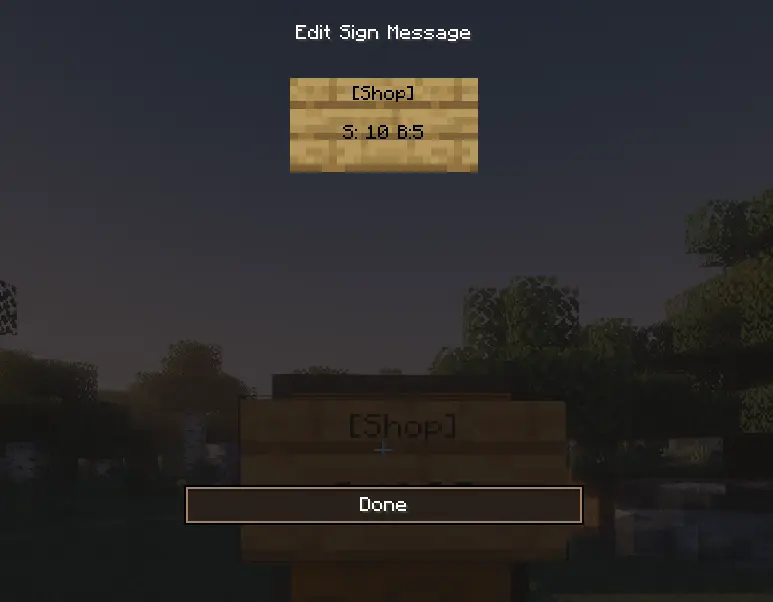
When the sign editing screen opens, enter:
- On the first line:
[Shop] - On the third line: the price and the buying or selling option
There are two available options:
- S — the shop sells the item to players
- B — the shop buys the item from players
You can use the following formats:
S:10 B:5 — the shop sells the item for $10 and buys it from players for $5
S:10 — the shop only sells the item for $10
B:10 — the shop only buys the item from players for $10
Once you are finished, click Done and the shop will be created.
Selecting the Item and Amount
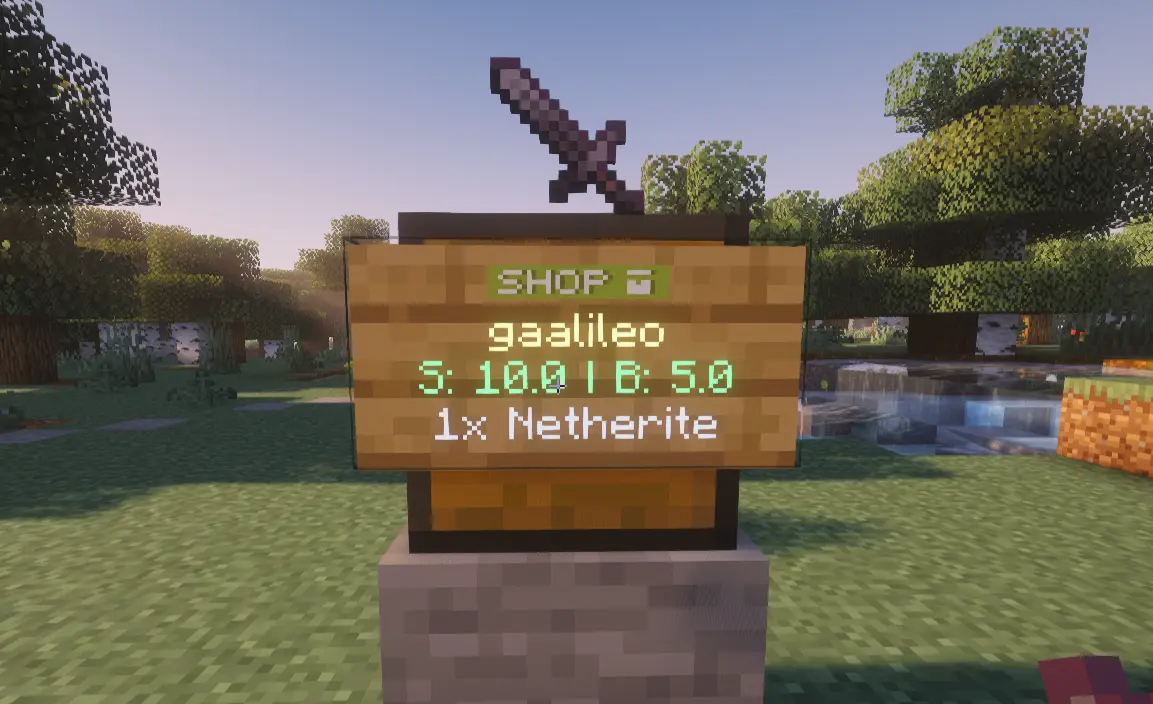
After creating the shop, you need to choose which item it will buy or sell and in what amount.
Hold the desired item in the exact quantity you want to use. For example, to sell 16 pieces of bread at a time, hold 16 bread in your hand and right-click the sign.
The shop will automatically save both the item and the selected amount.
Removing a Shop
To remove the shop, sneak and break the sign.